Rotary Screw Air Compressor Maintenance
Related topics (expand)
- preventive maintenance schedule
- compressor oil filter replacement
- air filter pressure drop
- compressor cooling system maintenance
- compressed air leak detection
- compressor operating pressure setpoint
- reactive vs preventive maintenance
- compressor warning signs
- compressor service interval
- industrial compressor reliability
- how often to service a rotary screw compressor
- signs a rotary screw compressor needs maintenance
- rotary screw compressor maintenance checklist
- how to extend air compressor service life
- rotary screw compressor oil change interval
- why is my air compressor running hot
- preventive maintenance vs reactive maintenance compressor
- rotary screw compressor maintenance schedule PDF
A production line rarely goes down because of a compressor problem that happened out of nowhere. Almost always, there were signs first — a bit less pressure than usual, the unit running hotter, loading times creeping up, a noise nobody could quite place. Most of the time, those signs get ignored until the compressor actually stops, and by then it’s not a maintenance conversation anymore. It’s a production loss.
So the question worth asking isn’t how to fix a compressor after it fails. It’s how a proper rotary screw air compressor maintenance routine keeps it from getting there in the first place.
Compressed air is one of those utilities that only gets attention when something’s wrong with it. As long as the line pressure holds and production keeps moving, nobody’s thinking about the compressor. That’s exactly the problem — the cost of an hour of downtime almost always outweighs whatever a proper maintenance program would have cost, and by a wide margin. Preventive maintenance isn’t really about the compressor itself. It’s about protecting everything downstream that depends on it.
The Components That Actually Need Attention
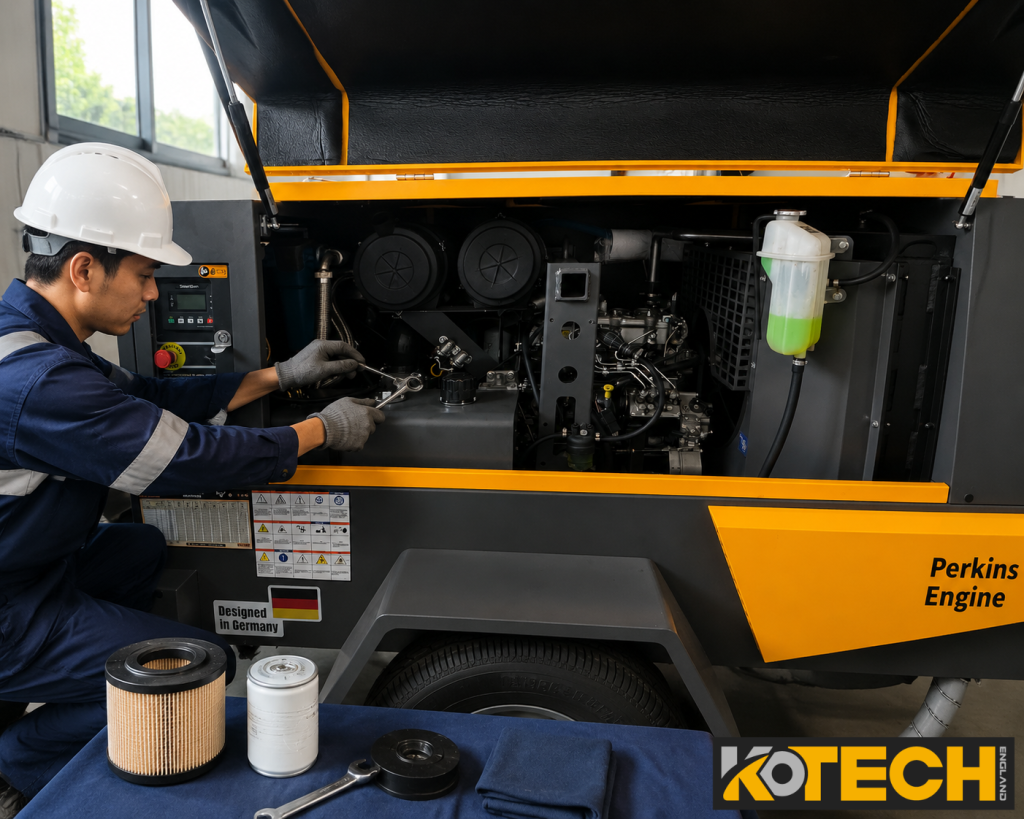
A rotary screw compressor has a handful of parts that do most of the work keeping it reliable. Ignore any one of them long enough and it shows up somewhere else in the system.
| Component | Function | Maintenance Focus |
|---|---|---|
| Air filter | Removes dust from incoming air | Regular inspection and replacement |
| Oil filter | Removes contamination from the oil system | Replace based on operating conditions |
| Oil separator | Separates oil from compressed air | Monitor pressure drop across it |
| Lubricating oil | Reduces friction, assists cooling | Check quality and level regularly |
| Cooling system | Controls operating temperature | Keep clean, ensure airflow |
None of these fail dramatically on their own. What usually happens is one component starts underperforming, the compressor compensates by working harder, and that extra strain shortens the life of everything else around it.
Building a Maintenance Schedule That Actually Gets Followed
Most maintenance plans fail for a boring reason — they’re too complicated to stick to. A schedule someone can actually run day to day works better than a perfect one that gets skipped after the first month.
| Interval | Recommended Action |
|---|---|
| Daily | Check operating pressure, temperature, listen for anything unusual |
| Weekly | Inspect for leaks, check cooling condition |
| Monthly | Check filters, inspect electrical connections |
| Every 1,000–2,000 hours | Replace filters based on actual operating conditions |
| Annual | Full system inspection |
These intervals shift depending on the model and, more importantly, the environment. A compressor in a dusty foundry needs a tighter schedule than one sitting in a climate-controlled electronics plant — the hours-based numbers above are a starting point, not a fixed rule.
Air Filters Matter More Than Most People Give Them Credit For
A dirty air filter doesn’t just restrict airflow. It raises pressure drop across the intake, which means the compressor has to work harder to hit the same output — and that shows up directly on the electricity bill before it shows up as a mechanical problem.
A compressor running in a dusty environment needs filter inspection far more often than one in a clean, enclosed factory space. This sounds obvious written down, but it’s one of the most commonly skipped checks we come across, mostly because a filter that’s 60% clogged doesn’t look obviously bad at a glance.
Oil and Oil Filter Condition Drive Almost Everything Else
Rotary screw compressors depend on lubrication in a way that’s easy to underestimate. The oil isn’t just reducing friction — it’s carrying heat away from the compression element, and when its condition degrades, both jobs suffer at once.
Oil that’s gone past its service interval, or has been contaminated, tends to show up as higher operating temperature first, then component wear, then a slow decline in overall efficiency. Choosing the right oil grade for the operating environment, and actually replacing it on schedule rather than “when it looks bad,” is one of the cheapest ways to add years to a compressor’s working life.
Temperature Is the Enemy Nobody Watches Closely Enough
Heat causes more premature compressor failures than almost anything else on this list. It’s rarely dramatic — a compressor doesn’t usually overheat and fail in one event. It runs a little hot for months, and that gradually wears down seals, oil quality, and bearing life until something finally gives.
The usual culprits are a dirty cooler, poor ventilation around the unit, or an ambient temperature the compressor room was never really designed for. The fix is unglamorous: keep the cooling surfaces clean, make sure air actually has somewhere to go, and keep an eye on temperature trends over time rather than just checking whether it’s within range today.
Leaks Quietly Undo Everything Else
A compressor can be running perfectly and still be losing money if the distribution system leaking air isn’t watched. Every leak means the compressor runs longer than it should to hold pressure, which means higher electricity use and more wear accumulated for no production benefit.
The path is straightforward: the compressor produces air, the pipeline carries it, a leak lets it escape, and that’s energy paid for and never used. Leaks tend to accumulate slowly — a plant rarely gets one big leak, it gets a dozen small ones over a few years, and by the time anyone notices, the electricity bill has already absorbed the cost for a while.
Running at the Right Pressure — Not Just a Safe Pressure
It’s common to see a compressor set higher than it actually needs to be, usually as an informal safety margin someone added at some point and nobody’s revisited since.
Say a process genuinely needs 7 bar, but the compressor is set to 8.5 bar. That extra 1.5 bar isn’t improving anything downstream — it’s just costing more to produce air nobody needed at that pressure in the first place. Checking actual required pressure against what the compressor is currently set to is a five-minute check that occasionally uncovers a meaningful, ongoing waste.
Why Preventive Beats Reactive, in Practical Terms
| Reactive Maintenance | Preventive Maintenance |
|---|---|
| Repairs happen after failure | Problems addressed before they cause failure |
| Downtime is unplanned | Service is scheduled around production |
| Emergency repairs cost more | Expenses are predictable and controlled |
| Production gets interrupted | Operation stays stable |
None of this is a new idea. What’s harder in practice is actually sticking to a preventive schedule once things have been running fine for a while — that’s usually exactly when maintenance starts sliding, right before it matters most.
Signs a Compressor Is Asking for Attention
A compressor rarely fails without warning. The warning just doesn’t always get read correctly.
Increased noise — often bearing wear starting, or a component that’s come loose and is vibrating against something it shouldn’t be.
Higher running temperature — usually points to a cooling issue or oil that’s no longer doing its job properly.
Pressure drop — most commonly a leak somewhere in the system, or a filter that’s become restrictive.
Rising energy consumption without a change in output — a fairly reliable sign that overall efficiency has quietly declined, even if nothing has technically “failed” yet.
Catching any of these early is almost always cheaper — and far less disruptive — than waiting for the compressor to make the decision for you.
How KOTECH Supports Reliable Compressor Operation
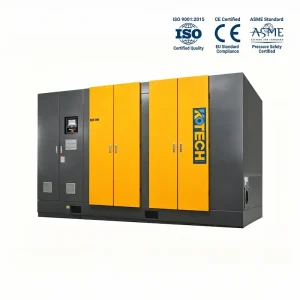
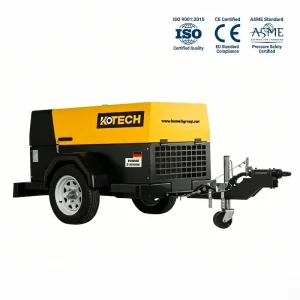
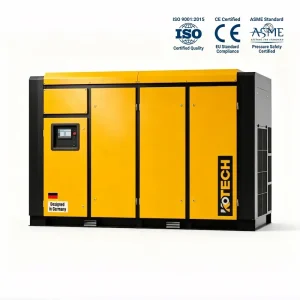
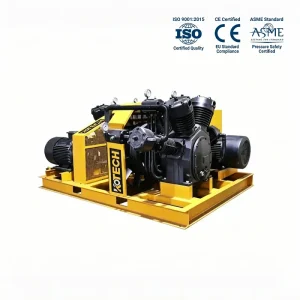
Reliability starts well before a compressor ever gets installed — it starts at the design stage. KOTECH rotary screw compressors are built for industrial environments where stable operation, efficient performance, and straightforward maintenance aren’t optional extras — they’re the baseline expectation.
That means components sized for accessible servicing rather than buried behind everything else, designs that hold up under demanding operating conditions, and a service life that’s meant to be measured in years of consistent output, not just a spec sheet number. Reliable equipment and a proper maintenance routine aren’t separate conversations — paired together, they’re what actually drives lower lifecycle costs and fewer surprises on the production floor.
The Bottom Line
A rotary screw compressor isn’t just equipment sitting in a corner of the plant. It’s part of the production system, whether it gets treated that way or not.
The difference between a compressor that runs reliably for its full service life and one that becomes a recurring problem usually isn’t the equipment itself — it’s whether someone was paying attention. Regular inspection, replacing consumables on schedule rather than when they fail, running at the pressure actually required, and taking early warning signs seriously all add up to the same outcome: fewer surprises, lower operating costs, and a compressor that’s still doing its job reliably years down the line.
Keep the air flowing, keep production running, and don’t wait for the compressor to tell you something’s wrong the hard way.
Further Reading
- How to Choose Reliable Compressed Air Equipment for Harsh Environments
- Centrifugal Air Compressor Engineering: Principles, Selection, and Industrial Applications
- The Hidden Cost of Compressed Air: Why the Lowest Purchase Price Is Not Always the Best Choice
- How Can I Choose the Right Air Compressor for My Business?
- Air Compressor Maintenance Guide – Fire Truck Foam Sy
- 5 Questions You Must Answer Before Buying an Air Compressor.
- Oil Refineries, Chemical Plants, Ports, and Industrial Sites — Kotech's Diesel Air Compressor Powers Foam Systems Where It Matters Most.
- Pure Air, Zero Risk: KOTECH Oil-Free Compressors for Airports.
Related Applied Cases
Frequently Asked Questions
Usually a slow, invisible cause — a clogged air filter, a growing leak, or oil that's past its service interval. None of these trip an alarm; they just quietly raise the load over weeks or months.
Check the cooling surfaces and room ventilation before anything mechanical. A schedule that covers filters and oil but skips the cooler is a common gap — heat buildup there won't show up until it's already caused wear.
Watch the trend, not the snapshot. If pressure, temperature, or noise is drifting worse between service visits, the interval is too long for your environment — dust, humidity, and duty cycle all shift what "normal" hours actually means.
Yes — visual inspection alone doesn't catch degraded lubrication properties. Oil can look clean and still have lost the additive performance that manages heat and friction. Go by hours or an oil analysis, not appearance.
Age isn't the deciding factor — operating hours and environment are. A newer unit running hard in a dusty plant can need more attention than an older one in a clean, low-duty setting.